 ENGLISHCUE
Until 30 November: try EnglishCue PRO for US$0.99 your first week, then US$19.90/month, cancel anytime. Try PRO · US$0.99 →
Vocabulary list · A2–B1 · For teachers and students · Free PDF, 2 pages
Technology and Internet Vocabulary List: 24 Words
Learners use technology all day but often in their own language. This list covers the words for devices, the internet, apps and online problems (crash, update, log in, back up), so they can describe how they use technology, ask for help with a tech problem and follow tech conversations at work.
Preview
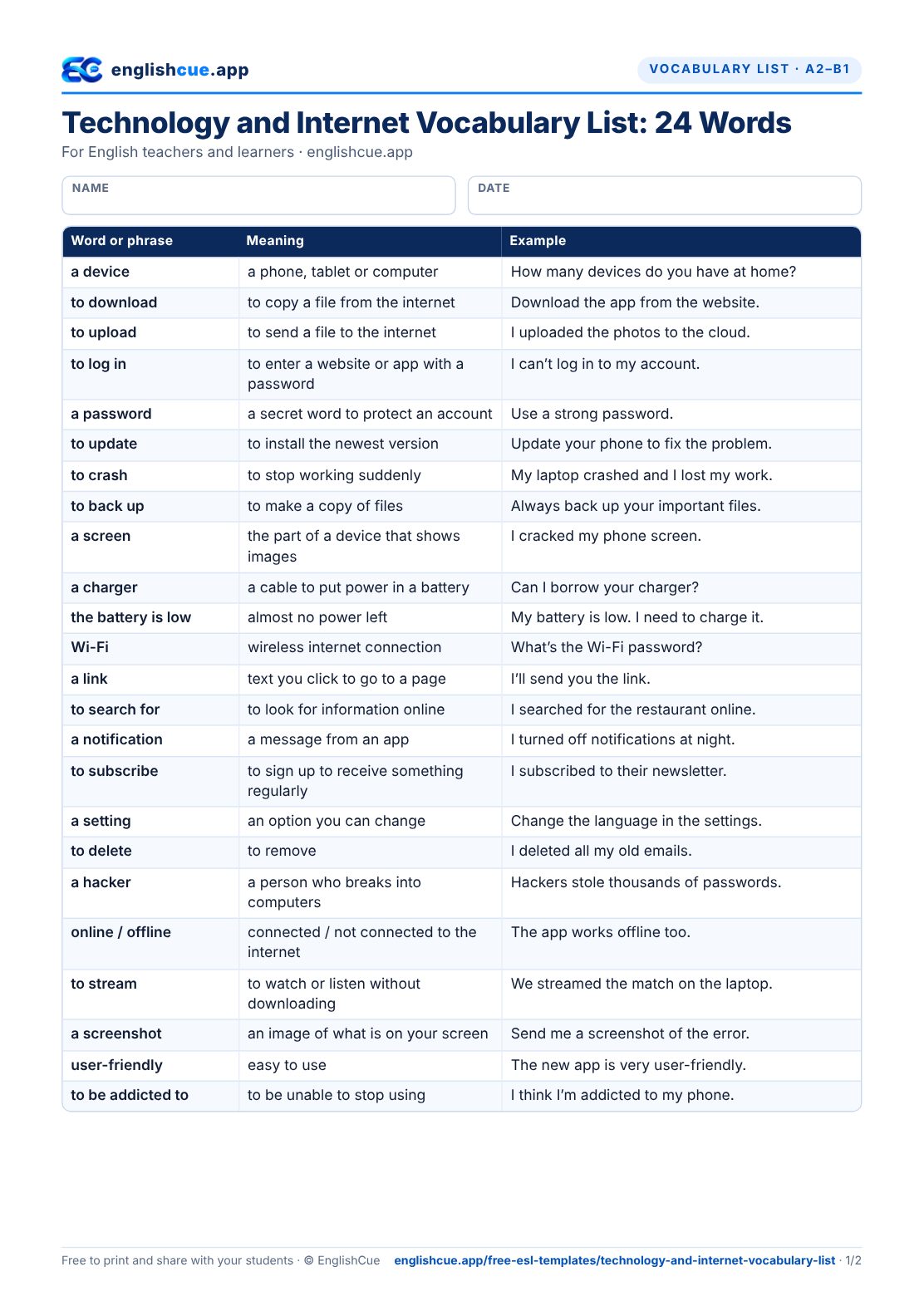
A4, portrait, 2 pages. No sign-up. Free to print, copy and share with your students.
How to use it
- Ask the learner to describe a tech problem they had recently and how they solved it, using the verbs on the list.
- Teach the phrasal verbs in pairs: log in / log out, turn on / turn off, sign up / sign in.
- Page 1 is the list itself: share it on screen or give it out. Page 2 has the practice, speaking questions, space for new words and the answer key.
- Recycle the words in the next lesson: start with three of the speaking questions before you open anything new.
What is on the sheet
The full content, so you can check it before you print or copy an example onto your own slide.
| Word or phrase | Meaning | Example |
|---|---|---|
| a device | a phone, tablet or computer | How many devices do you have at home? |
| to download | to copy a file from the internet | Download the app from the website. |
| to upload | to send a file to the internet | I uploaded the photos to the cloud. |
| to log in | to enter a website or app with a password | I can’t log in to my account. |
| a password | a secret word to protect an account | Use a strong password. |
| to update | to install the newest version | Update your phone to fix the problem. |
| to crash | to stop working suddenly | My laptop crashed and I lost my work. |
| to back up | to make a copy of files | Always back up your important files. |
| a screen | the part of a device that shows images | I cracked my phone screen. |
| a charger | a cable to put power in a battery | Can I borrow your charger? |
| the battery is low | almost no power left | My battery is low. I need to charge it. |
| Wi-Fi | wireless internet connection | What’s the Wi-Fi password? |
| a link | text you click to go to a page | I’ll send you the link. |
| to search for | to look for information online | I searched for the restaurant online. |
| a notification | a message from an app | I turned off notifications at night. |
| to subscribe | to sign up to receive something regularly | I subscribed to their newsletter. |
| a setting | an option you can change | Change the language in the settings. |
| to delete | to remove | I deleted all my old emails. |
| a hacker | a person who breaks into computers | Hackers stole thousands of passwords. |
| online / offline | connected / not connected to the internet | The app works offline too. |
| to stream | to watch or listen without downloading | We streamed the match on the laptop. |
| a screenshot | an image of what is on your screen | Send me a screenshot of the error. |
| user-friendly | easy to use | The new app is very user-friendly. |
| to be addicted to | to be unable to stop using | I think I’m addicted to my phone. |
Practice: complete with a word from the list
Use the correct form of the word or phrase.
- My computer ___ and I lost my document.
- What’s the ___ password here?
- Don’t forget to ___ your photos before you change phones.
- I can’t ___ in. I forgot my password.
- Can you send me a ___ of the error message?
- My ___ is low. Do you have a charger?
- This app is really ___: my grandmother uses it.
- I turned off all ___ during work hours.
Speaking
- Which device could you not live without? Why?
- Tell me about a tech problem you had and how you fixed it.
- How many hours a day do you spend online?
- Which apps do you think are the most user-friendly?
My new words
Show the answer key
Practice: 1 crashed · 2 Wi-Fi · 3 back up · 4 log · 5 screenshot · 6 battery · 7 user-friendly · 8 notifications
Use it with
More free templates
The lesson is ready too.
EnglishCue lessons open on screen and teach in 60 minutes: scene, forms, practice, listening, speaking and writing.